The Best Curved Monitors of 2026: Immersive Displays for Gaming and Productivity
Discover the top-rated curved monitors of 2026. From ultra-wide OLEDs to dual-resolution displays, we test the best screens for gaming and productivity.
Elevating Your Setup: The Allure of the Curve
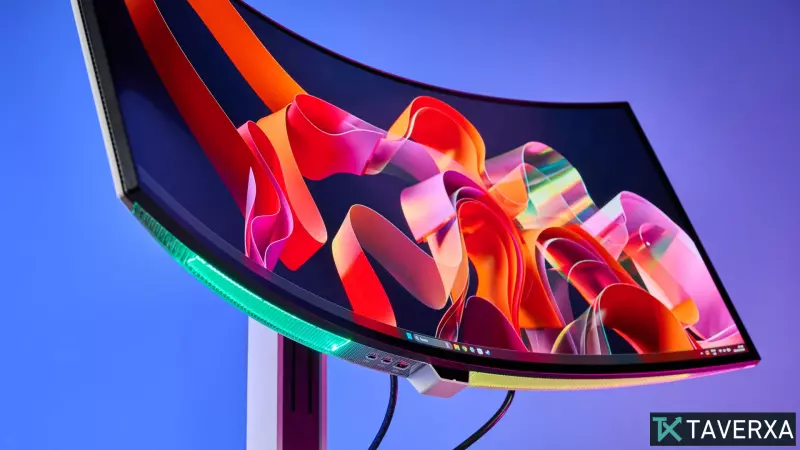
In the evolving landscape of desktop computing, curved monitors have transitioned from niche luxury items to essential tools for both hardcore gamers and productivity power-users. By mimicking the natural curvature of the human eye, these displays reduce eye strain and create a wrap-around immersion that flat screens simply cannot match. Whether you are navigating sprawling open-world environments or managing complex spreadsheets across multiple windows, the right curve can fundamentally change how you interact with your digital workspace.
Top Recommendations for 2026
The Gold Standard: MSI MPG 341CQR QD-OLED X36
For those seeking the absolute pinnacle of performance, the MSI MPG 341CQR QD-OLED X36 takes the top spot. This monitor is a powerhouse, featuring a 34-inch QD-OLED panel with a staggering 360Hz refresh rate and a 0.03ms response time. Its 1800R curvature provides a balanced immersive experience that doesn't distort the image, making it ideal for a hybrid setup of creative work and competitive gaming.
Our laboratory tests revealed an exceptional Delta-E of 0.15, signifying near-perfect color accuracy. While it carries a premium price tag and can be slightly dim in high-brightness environments, the inclusion of an AI Care Sensor and diverse display modes (from AdobeRGB to FPS) makes it an unbeatable all-rounder.
The Value Champion: Alienware 34 QD-OLED (AW3426DW)
If you want flagship-tier performance without the exorbitant cost, the Alienware AW3426DW is the ideal choice. Delivering a fluid 280Hz refresh rate at 3440 x 1440 resolution, it offers a seamless experience for fast-paced titles. In our testing, the monitor reached approximately 300 nits in SDR and nearly 500 nits in HDR, ensuring that colors pop and highlights remain crisp.
The OLED Specialist: Lenovo Legion Pro 34WD-10
The Lenovo Legion Pro 34WD-10 is designed for those who prioritize visual depth and a more aggressive curve. With an 800R curvature, this monitor effectively "hugs" the viewer, creating an absorbing visual experience. Beyond its 240Hz OLED panel, it excels in connectivity, offering 140W USB-C power delivery and an integrated Ethernet port, turning it into a comprehensive docking station for your laptop.
The Versatility King: LG UltraGear 45GX950A-B
Innovation takes center stage with the LG UltraGear 45GX950A-B, which introduces a dual-resolution capability. Users can toggle between a high-detail 5K mode (5120 x 2160 at 165Hz) for productivity and a high-speed 2K mode (2560 x 1080 at 330Hz) for gaming. This flexibility makes it a unique asset for users who refuse to compromise between sharpness and speed.
The Ultra-Wide Giant: Samsung Odyssey OLED G9
For maximum real estate, the Samsung Odyssey OLED G9 remains a titan. Its massive 49-inch display is essentially two 27-inch monitors fused into one seamless, curved arc. With a 240Hz refresh rate and deep OLED blacks, it is the ultimate choice for sim-racing, flight simulators, or extreme multitasking.
The Hybrid Hub: LG UltraGear 45GX90SA
Blurring the line between a monitor and a television, the LG UltraGear 45GX90SA integrates webOS, allowing users to stream Netflix or YouTube without even powering on their PC. It combines this "smart" functionality with a professional-grade 240Hz OLED panel, making it the perfect center-piece for a bedroom or studio setup.
Understanding the Specs: How to Choose
When shopping for a curved monitor, three primary metrics should guide your decision:
- Curvature (The 'R' Value): The 'R' stands for radius. A smaller number (e.g., 800R) indicates a tighter, more pronounced curve for maximum immersion. A larger number (e.g., 1800R) is a gentler bend, better suited for general office work.
- Refresh Rate & Response Time: For gaming, look for 144Hz or higher. For the most competitive edge, 240Hz to 360Hz is the new gold standard. Response times of 0.03ms (typical of OLED) virtually eliminate motion blur.
- Panel Technology: OLED and QD-OLED panels provide infinite contrast and perfect blacks, while high-end IPS panels often offer better overall brightness (nits).
Our Testing Methodology
To ensure unbiased ratings, every monitor is subjected to rigorous lab testing. We use calibrated color spectrophotometers to measure sRGB and DCI-P3 color volumes and Delta-E accuracy. Input lag is measured using a Leo Bodnar tester to ensure that the time from click to pixel is as short as possible. Finally, each unit undergoes weeks of real-world usage in gaming and professional workflows to identify any scaling issues or backlight bleed.