The Best All-in-One Computers of 2026: Top Picks for a Modern Home Office
Looking to upgrade your home office? Discover the best all-in-one computers of 2026, featuring top picks from Apple, Lenovo, and MSI for every budget.
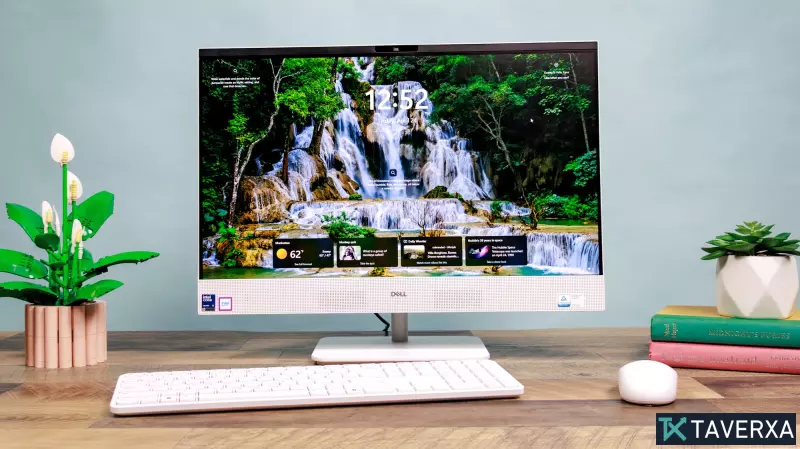
Redefining the Workspace: The Rise of the All-in-One PC
In the quest for a clean, minimalist home office, the all-in-one (AIO) computer has emerged as the ultimate solution. By integrating the CPU, RAM, storage, and peripherals directly into the monitor housing, AIOs eliminate the cluttered web of cables typically associated with traditional desktop towers. For professionals, students, and families in 2026, these machines offer a seamless blend of style and utility, providing a full computing experience in a compact footprint.
Top All-in-One PC Recommendations for 2026
1. The Gold Standard: Apple iMac M4
The Apple iMac M4 remains the premier choice for users seeking a balance of raw power and aesthetic elegance. Equipped with the latest M4 chip, this machine effortlessly handles everything from intensive multitasking and basic video editing to light gaming.
- Visual Excellence: The 24-inch 4.5K Retina display provides stunning clarity and wide viewing angles, making it ideal for both creative work and shared entertainment.
- Audio-Visual Suite: With a sophisticated six-speaker system supporting Spatial Audio and an upgraded 12MP webcam, it offers a cinema-like experience and professional-grade video conferencing.
- The Trade-off: While powerful, it lacks height adjustability and offers a limited selection of ports, primarily relying on Thunderbolt 4.
2. The Budget Powerhouse: MSI Modern AM271P 11M
For those who need a reliable workstation without the premium price tag, the MSI Modern AM271P 11M is a standout value proposition. It is specifically designed for business productivity and everyday computing.
- Versatile Display: The 27-inch 1080p IPS panel is spacious and comfortable for long work hours. Unlike many rivals, this model features a highly adjustable stand (tilt, swivel, and height) and VESA mount compatibility.
- Unique Connectivity: A standout feature is the inclusion of both HDMI-in and HDMI-out ports, allowing the AIO to function as an external monitor for a laptop or extend its own display to a second screen.
- Performance: Powered by an Intel Core i7, it handles office suites and web browsing with ease, though it struggles with high-end modern gaming.
3. The Windows Premium Pick: Lenovo Yoga AIO 27
If you prefer the Windows ecosystem and have a higher budget, the Lenovo Yoga AIO 27 is a formidable competitor that often outperforms its peers in raw processing metrics.
- Innovative Features: The base of the unit includes a built-in Qi wireless phone charger, and the screen can rotate 90 degrees—a rare feature perfect for coding or viewing vertical content like TikToks.
- High-End Specs: With Intel Core Ultra processors and a vivid QHD (2560 x 1440) 120Hz panel, it provides a smooth and color-accurate experience that rivals the iMac.
- User Experience: While the webcam is slightly grainier than Apple's, the overall build quality and the inclusion of a satisfying keyboard make it a top-tier professional choice.
Comparative Performance Analysis
Rigorous testing reveals distinct performance tiers among these machines. The Apple iMac M4 leads in single-core efficiency and display brightness (reaching 450 nits). However, the Lenovo Yoga AIO 27 shows impressive multi-core strength, making it a powerhouse for demanding Windows applications. The MSI Modern, while slower in benchmarks, remains more than sufficient for the average user's daily needs, proving that you don't always need top-of-the-line specs for basic productivity.
Buying Guide: How to Choose Your All-in-One
When selecting an AIO, consider the following critical factors:
- Operating System: macOS is ideal for those already in the Apple ecosystem, offering seamless integration with iPhones and iPads. Windows 11 provides broader software compatibility and is generally preferred for specialized business software.
- Ergonomics: Consider whether you need a height-adjustable stand. If you spend 8+ hours a day at your desk, the adjustability of the Lenovo or MSI models may outweigh the display quality of the iMac.
- Repairability and Longevity: Be aware that AIOs are harder to upgrade than traditional towers. Since the components are tightly packed, replacing a single failed part often requires professional service or the replacement of the entire unit.
Final Verdict: AIO vs. Traditional Desktop
The choice between an all-in-one and a traditional desktop comes down to a trade-off between convenience and customization. All-in-ones are the perfect choice for small apartments, family hubs, and clean office aesthetics. However, if your workflow involves professional 4K video rendering, high-end gaming, or a desire to upgrade your GPU every few years, a traditional tower remains the superior investment.