
The Grayscale Experiment: How Stripping Color From My iPhone Saved My Attention Span
Discover how turning an iPhone screen to grayscale can break screen addiction, reduce screen time by 60%, and restore focus in this detailed two-week experiment.
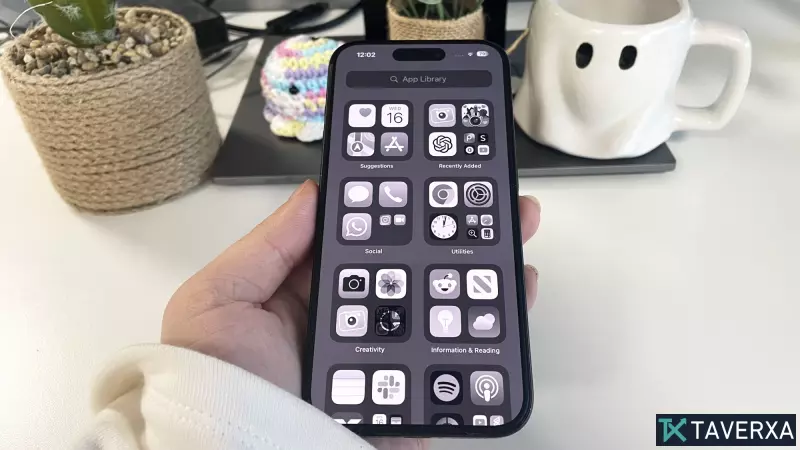
The Psychology of Color and Screen Addiction
In an era of hyper-stimulation, our smartphones are meticulously designed to capture and hold our attention. From the vibrant red of a notification badge to the saturated hues of an Instagram feed, color is used as a psychological trigger to stimulate dopamine release. For two weeks, I decided to fight back against this engineered addiction by enabling the grayscale filter on my iPhone, transforming my vivid digital world into a monochrome landscape. What I expected to be a simple productivity hack turned out to be a profound psychological journey.
The Initial Shock: A World in Newsprint
The first three days were characterized by a surprising level of disorientation. I experienced what can only be described as 'digital withdrawal.' My brain, accustomed to the cheap rewards of bright colors, threw a quiet tantrum every time I unlocked my device. Navigation became clunky; muscle memory failed me as I searched for apps that no longer stood out with their signature colors.
One of the most jarring experiences was the impact on creativity and memory. Taking photos became an act of blind faith, as the screen displayed only a dull, slate gradient. Social media, however, lost its hypnotic pull. Without the hyper-saturated warmth of Instagram, the endless scroll felt drained of its urgency. I found myself opening apps out of habit, staring at a flat gray wall of content for a few seconds, and closing them when my brain realized there was no immediate dopamine reward available.
The Turning Point: Finding the 'Quiet'
By the seventh day, a significant shift occurred. The frustration evaporated and was replaced by a liberating sense of quiet. My phone ceased to be an entertainment center and returned to its original purpose: a utility tool. With my screen time plummeting by over 60%, I noticed my attention span beginning to heal. I rediscovered the joy of physical hobbies, such as reading books during my commute and listening to records, activities that had previously been crowded out by the reflexive need to scroll.
The Grayscale Survival Guide: How to Transition
If you are considering this digital detox, the transition period is the most critical phase. Here are five rules to ensure you don't cave during the initial withdrawal:
- Ride Out the Friction Window: Accept that the first few days will feel annoying. Recognize this annoyance as dopamine withdrawal and persist.
- Reframe Your Device: Stop viewing your phone as a reward machine. Treat it like a landline—essential for communication and utility, but not a cure for boredom.
- Shift to Text-First Navigation: Since you can no longer rely on colorful icons, use Spotlight Search to open apps with intention rather than mindless scanning.
- Silence the Visual Bait: Disable notification badges entirely. Even gray dots can create a nagging urge to check your phone.
- Replace the Habit: Carry a physical object—a small notebook or a fidget toy—in the spot where your phone usually lives to satisfy the tactile reflex.
How to Enable Grayscale on Your iPhone
Ready to try it? Follow these simple steps to monochrome your device:
- Open Settings.
- Navigate to Accessibility.
- Tap Display & Text Size.
- Select Color Filters and toggle the switch On.
- Select Grayscale from the list of options.
Final Verdict: A Digital Baseline Reset
When the two-week experiment ended and I restored color, the world looked aggressively bright, almost overwhelming. Surprisingly, the old habits didn't return. The automatic reflex to scroll had been broken. While grayscale isn't a permanent silver bullet for everyone, it serves as a powerful tool to reset your baseline and remind you that your attention is a finite resource that shouldn't be surrendered to a colorful grid of pixels.


