
The Best Monitors of 2026: Top Displays for Gaming, Productivity, and Creative Work
Discover the best monitors of 2026 for gaming, creative work, and productivity. Expert reviews on QD-OLED, 4K, 5K, and ultrawide displays.
Elevating Your Digital Workspace in 2026
Choosing the right monitor is no longer just about screen size; it is about balancing resolution, refresh rates, and panel technology to match your specific needs. Whether you are a competitive gamer seeking a split-second advantage, a creative professional requiring absolute color precision, or a remote worker optimizing for multitasking, the landscape of 2026 offers unprecedented options. From the rise of QD-OLED dominance to the accessibility of 5K clarity, we have rigorously tested the market's top contenders to help you invest in the right glass.
The Gold Standard: Best Overall Monitor
For those who want a 'do-it-all' powerhouse, the MSI MPG 341CQR QD-OLED X36 stands as the premier choice. This 34-inch ultrawide curved display is a masterclass in versatility. By combining a 3440 x 1440 resolution with a staggering 360Hz refresh rate and a near-instant 0.03ms response time, it eliminates motion blur and provides an immersive wrap-around experience.
Beyond raw speed, the QD-OLED panel delivers inky blacks and vibrant colors that make it equally suited for high-end video editing or navigating complex spreadsheets. Notable additions include a 98W USB-C Power Delivery port and an AI Care Sensor that automatically powers down the screen when you leave your desk, blending efficiency with luxury.
Gaming Performance: From Budget to Ultra-High End
Gaming monitors in 2026 are defined by their ability to synchronize with high-end GPUs. For the budget-conscious, the Alienware AW2726DM offers premium OLED specs at a wallet-friendly price point, featuring a 240Hz refresh rate that punches well above its weight class.
If you prefer a standard 1080p experience for competitive shooters, the Alienware AW2525HM is a top contender, boasting a blistering 320Hz refresh rate. For those craving the pinnacle of 4K gaming, the MSI MPG 321URXW QD-OLED provides breathtaking visuals with a 240Hz refresh rate, ensuring that AAA titles look as fluid as they do detailed.
For the ultimate immersion, the Samsung Odyssey OLED G9 and LG UltraGear 45GX950A-B offer super-ultrawide experiences. The LG, in particular, is a marvel of flexibility with its dual-resolution mode, allowing users to switch between 5K at 165Hz for productivity and 2K at 330Hz for high-octane gaming.
Precision Tools for Creatives and Mac Users
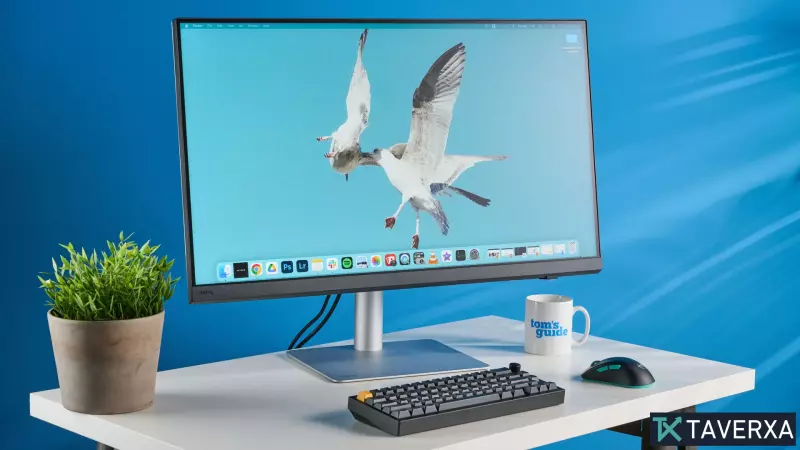
For professionals in photography and graphic design, the BenQ Creative Pro PD2730S is the definitive 5K choice. With a 5120 x 2880 resolution and Pantone/Calman verification, it ensures that what you see on screen translates perfectly to print. Its inclusion of a 'Hotkey Puck' further streamlines complex editing workflows.
Mac owners often struggle to find monitors that match the Apple aesthetic and Retina-class PPI without the 'Apple Tax.' The MSI Pro Max 271UPXW12G solves this by offering a 4K QD-OLED panel with 98W Power Delivery, allowing a MacBook to charge and display via a single cable. It natively supports sRGB, AdobeRGB, and DCI-P3 profiles, making it a formidable alternative to the Studio Display XDR.
Expert Buying Guide: What Really Matters?
When shopping for a monitor in 2026, keep these technical pillars in mind:
- Refresh Rate & Response Time: For general office work, 60Hz is sufficient. However, gaming requires 120Hz to 360Hz to avoid screen tearing. Response times under 1ms are critical for competitive play.
- Panel Technology: OLED and QD-OLED provide the best contrast and color depth but can be dimmer than Mini-LED or high-end IPS panels.
- Color Accuracy (Delta-E): For creatives, look for a Delta-E score close to 0. This indicates the deviation from the true color; the lower the number, the more accurate the display.
- Connectivity: USB-C with Power Delivery (PD) is now essential for laptop users to reduce cable clutter and power their devices simultaneously.


