
The Best iPads for Kids in 2026: Expert Guide for School, Travel, and Creativity
Discover the best iPads for kids in 2026. Our expert guide compares the iPad 11, iPad mini 7, and iPad Air M4 for school, creativity, and travel.
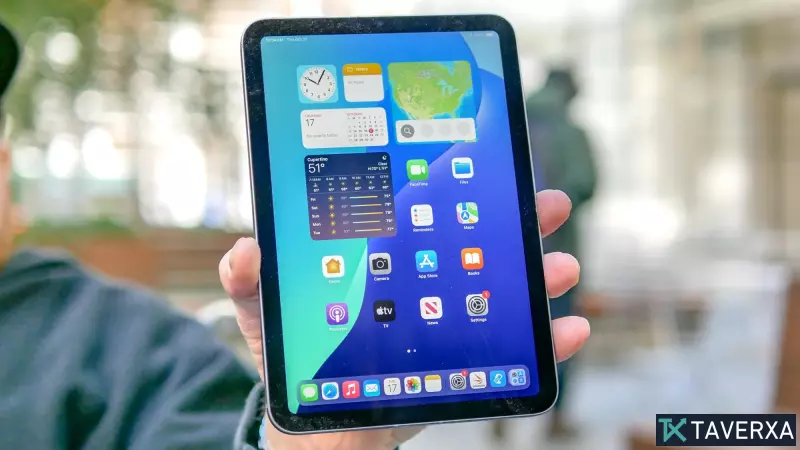
Finding the Perfect Tablet for Your Child in 2026
Selecting the right tablet for a child is a balancing act between performance, durability, and cost. While the market is flooded with options, Apple's iPad ecosystem remains the gold standard for families due to its robust parental controls, high-quality educational apps, and long-term software support. Whether your child is starting primary school, exploring digital art, or needs a reliable companion for long flights, there is an iPad tailored to those needs.
The Top Recommendations for Every Stage
Our comprehensive testing across performance benchmarks and real-world usage has identified three primary contenders for 2026. Each serves a distinct purpose depending on the age and interests of the child.
1. The Best Overall: Apple iPad (11-inch, 2025)
For the vast majority of families, the standard iPad 11 is the most logical choice. It strikes an ideal balance between price and capability, ensuring children have access to a full-featured tablet without the prohibitive cost of the Pro or Air lines.
- Performance: Powered by the A16 chip, it handles everything from educational software to high-end gaming via Apple Arcade with ease.
- Battery Life: A standout feature, clocking in at 11 hours and 25 minutes in our web-browsing tests, making it the longest-lasting option in our guide.
- Value: With a base storage upgrade to 128GB, it provides ample space for apps and media, ensuring the device remains useful for several years.
2. The Best for Creativity & Portability: iPad mini 7
The iPad mini 7 is a powerhouse in a compact frame, making it the perfect tool for smaller hands or children who are constantly on the move.
- Portable Canvas: At just 0.6 pounds, it functions as a digital sketchbook. When paired with the Apple Pencil Pro or USB-C, it becomes a portable art studio for doodling and note-taking.
- Enhanced Speed: Featuring the A17 Pro chip, the mini actually outperforms the standard iPad in raw speed, making it highly responsive for complex creative apps.
- Travel Ready: Its 8.3-inch display is ideal for reading e-books or watching shows during travel without the bulk of a full-sized tablet.
3. The Best for Older Kids & Students: iPad Air M4
As children move into middle or high school, their needs shift toward multitasking, video editing, and more intensive schoolwork. The iPad Air M4 is designed for this transition.
- Professional Power: The M4 chip is a massive leap forward, nearly doubling the performance of previous M1 models in Geekbench tests.
- Visual Excellence: The bright, crisp Liquid Retina display is superior for those interested in digital illustration, music production, or media consumption.
- Future-Proofing: While more expensive, the Air is an investment. It supports the latest high-end keyboard and stylus accessories, effectively turning the tablet into a laptop replacement for students.
Battery Life Performance Comparison
Battery longevity is critical for parents to avoid the "low battery" panic during trips. Our lab tests (conducted at 150 nits of brightness) reveal a surprising trend: the entry-level model is the champion of endurance.
| Model | Battery Life (Hours:Minutes) |
|---|---|
| Apple iPad 11 (2025) | 11:25 |
| Apple iPad mini 7 (2024) | 10:34 |
| Apple iPad Air M4 (2026) | 09:44 |
Essential Accessories for Child Safety
An iPad is a significant investment, and kids are notorious for accidental drops. To protect your device, we recommend three essential additions:
- Rugged Cases: A high-impact, shock-absorbent case is non-negotiable. Look for models with built-in stands for better viewing angles during homework.
- Apple Pencil or Alternatives: To unlock the creative potential of the iPad, a stylus is essential. For those on a budget, third-party alternatives offer similar precision for a fraction of the cost.
- External Keyboards: For older children, adding a keyboard transforms the device into a productivity tool for writing essays and coding.
Buyer's Checklist: How to Choose
Before purchasing, ask yourself these three questions:
- What is the primary use? For general entertainment and light schoolwork, go with the iPad 11. For art and travel, the mini 7. For heavy-duty student use, the Air M4.
- What is the budget? The iPad 11 is the budget-friendly king, often found on sale for around $350-$449. The Air represents a higher investment but offers longer longevity.
- What is the age/responsibility level? Younger children (ages 5-11) are best served by the standard iPad in a heavy-duty case. Teenagers can handle the more expensive, sleek design of the Air.


