
Samsung DeX Evolution: Exploring the Major Productivity Leap on Galaxy Z Fold 8
Discover the massive productivity upgrade coming to Samsung DeX on the Galaxy Z Fold 8. Learn about the new multi-workspace feature and how it transforms your phone into a PC.
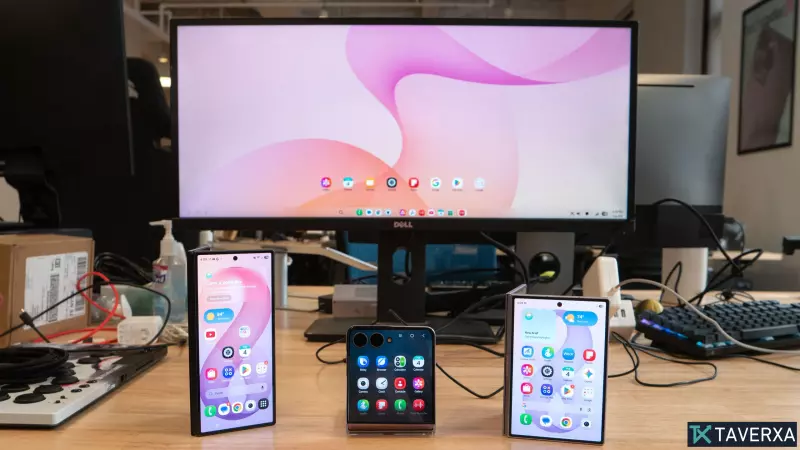
Redefining Mobile Productivity: The Return of Samsung DeX
For years, Samsung has pushed the boundaries of what a smartphone can be, and with the arrival of the latest foldable lineup, the company is doubling down on its most underrated asset: Samsung DeX. While the hardware of the Galaxy Z Fold 8, Z Fold 8 Ultra, and Z Flip 8 captures the headlines, it is the software integration of the desktop interface that transforms these devices from mere phones into legitimate workstation replacements.
Samsung DeX allows users to project a desktop-like experience onto an external monitor via USB-C, HDMI hubs, or wirelessly. While previous versions provided a solid foundation, the latest iteration introduces a critical upgrade designed specifically for power users and professionals who find themselves caught between a mobile device and a laptop.
The Game Changer: Multi-Workspace Management
The standout feature of the new Samsung DeX on the Galaxy Z Fold 8 series is the introduction of multiple workspaces. In a move that closely mirrors the virtual desktop functionality found in Windows 11, users can now create up to four distinct workspaces.
Each of these workspaces can host up to five active applications. This means a user can effectively have 20 different apps open and organized across four separate environments. For the modern professional, this solves the problem of digital clutter. Imagine the following configuration:
- Workspace 1 (Professional): A dedicated hub for Slack, Gmail, Google Docs, and corporate messaging.
- Workspace 2 (Social): A space for networking apps, news feeds, and communication.
- Workspace 3 (Creative): A powerhouse for editing tools like CapCut, PhotoDirector, and PowerDirector.
- Workspace 4 (Personal): A private area for banking, shopping, and personal planning.
Navigating between these environments is seamless; a simple click on the three-line icon in the lower-left corner of the interface allows the user to jump between contexts instantly, drastically reducing the mental friction of app-switching.
The User Experience: What Stays and What's Missing
Beyond the new workspace system, the core DeX experience remains refined. The ability to run two apps side-by-side with an adjustable slider for resizing remains a staple, allowing users to prioritize a large browser window while keeping a chat app tucked to the side.
However, the evolution isn't complete. There are two glaring omissions that power users are still longing for:
1. Advanced Window Snapping: While side-by-side multitasking works, Samsung has yet to implement a full "Snap" feature similar to Windows 11. Users want the ability to quadrant their screen, allowing four apps to occupy a display simultaneously for maximum efficiency.
2. Multiple User Profiles: One of the most requested returns is the support for multiple user profiles. In a world where work-life balance is paramount, the ability to separate a work profile (with its own bookmarks and logins) from a personal profile is essential. Currently, DeX is largely locked to a single primary profile, creating hurdles for those managing separate professional and private digital identities.
The Bottom Line: A Portable Powerhouse
Despite the missing features, Samsung DeX on the Galaxy Z Fold 8 is a formidable tool. For many, it can handle nearly 90% of a standard daily workload. When paired with peripherals like a Bluetooth keyboard, a wireless mouse, and even AR hardware like Xreal smart glasses, DeX creates the ultimate portable desktop. The ability to project a semi-transparent interface while staying aware of one's surroundings represents the future of computing.
As Samsung continues to innovate in wearable displays and foldable form factors, DeX stands as the bridge that could eventually make the traditional laptop obsolete for a vast majority of users.


