Last Chance: Grab Free Exclusive Rewards in Halo Campaign Evolved via Twitch Drops
Don't miss out on the free 'Stream of the Crop' cosmetic for Halo Campaign Evolved. Learn how to claim your Twitch Drop rewards before August 4th, 2026.
Celebrating a Legend Reborn in Unreal Engine 5
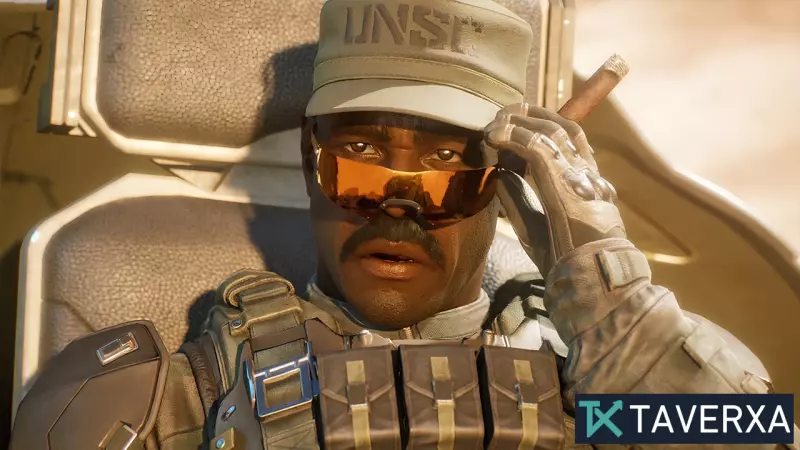
The gaming world is currently buzzing with the release of Halo Campaign Evolved, a stunning reimagining of the legendary Combat Evolved. Twenty-five years after the original title redefined the first-person shooter genre, this remake brings the Master Chief back to the forefront with the power of Unreal Engine 5. Available on PC, Xbox Series X|S, and PS5, the game is a love letter to fans and a perfect entry point for newcomers.
To commemorate this massive launch, Halo Studios and Xbox have partnered with Twitch to offer players free exclusive in-game content. However, the clock is ticking—this limited-time offer is set to expire soon, and players need to act quickly to secure their rewards.
How to Unlock the 'Stream of the Crop' Reward
The current promotion is centered around a Twitch Drop campaign. If you are unfamiliar with the process, Twitch Drops allow viewers to earn rewards in supported games simply by watching participating broadcasters. For Halo Campaign Evolved, the prize is a special cosmetic item designed to make Master Chief's armor stand out on the battlefield: the 'Stream of the Crop' skin.
Quick Guide to Eligibility:
- Find a Stream: Navigate to the Halo Campaign Evolved category on Twitch. Look for channels that have [DROP] clearly marked in their stream title.
- Watch and Earn: You must watch a participating stream for a total of 2 hours. The beauty of this system is that you can leave the stream running in the background while you attend to other tasks.
- Deadline: The event concludes on Tuesday, August 4th, 2026, at 08:59 AM.
Step-by-Step: Claiming Your Free Content
Earning the reward on Twitch is only the first half of the journey. To actually see the skin in your game, you must link your accounts and claim the item. Follow these detailed steps to ensure you don't miss out:
- Account Linking: Visit the official Twitch Drops connection page and link your Twitch account to your gaming profile (Xbox/Microsoft account).
- Verification: Follow the on-screen prompts to authorize the connection between the two platforms.
- The Waiting Game: Once you hit the 2-hour viewing threshold, Twitch will send you a notification stating that your reward is ready to be claimed.
- Redemption: Log into the account used to play Halo Campaign Evolved on your PC or console. The reward will be automatically synced to your profile.
Applying Your New Look
Once the reward is successfully redeemed, launch Halo Campaign Evolved and navigate to the Customization Menu. From there, you can apply the 'Stream of the Crop' skin to Master Chief's Mjolnir armor, showcasing your participation in the launch event.
Final Thoughts
With the franchise expanding to new platforms and breathtaking visuals, these community events are a great way for Halo Studios to engage with the player base. Whether you are a veteran of the original 2001 release or a new recruit, grabbing this free cosmetic is a great way to mark the occasion. Don't let the timer run out!