
iOS 27 Lock Screen Overhaul: How to Finally Take Total Control of Your iPhone's Design
Discover how iOS 27 transforms your iPhone lock screen with AI-powered wallpaper generation, the 'Extend' photo tool, and total control over clock and widget placement.
Breaking Free from Apple's Defaults
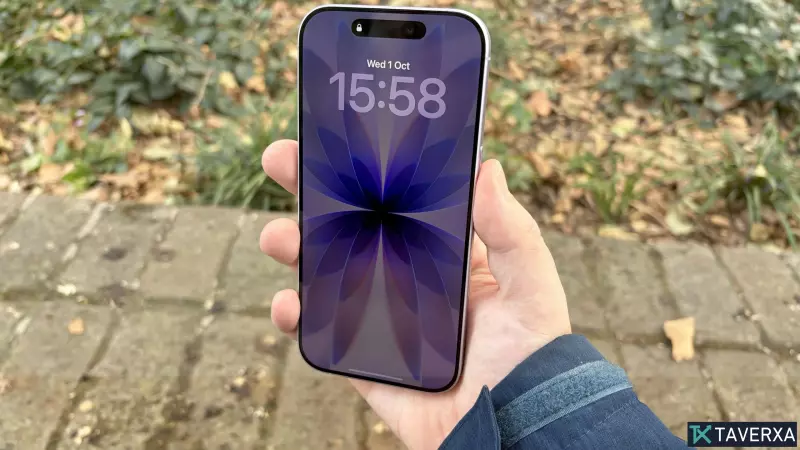
For years, the iPhone lock screen has felt more like Apple's personal canvas than the user's. While previous versions of iOS introduced basic widgets and font changes, the layout remained largely rigid. With the arrival of iOS 27, Apple is finally handing the keys over to the users. This update introduces a comprehensive overhaul of the lock screen, shifting from a "curated experience" to a fully customizable interface.
iOS 27 integrates advanced artificial intelligence to ensure that your personal aesthetic isn't limited by the original dimensions of a photo or the constraints of a pre-set template. Whether you are a minimalist looking to clear clutter or a creative wanting a generative art piece as your backdrop, the new tools provide unprecedented flexibility.
AI-Powered Wallpaper Generation with Image Playground
One of the most significant additions is the deep integration of Image Playground directly into the wallpaper settings. Users no longer need to use third-party apps to create unique backgrounds; the AI generation tool is now built-in.
To access this, navigate to Settings > Wallpaper > Add New Wallpaper and select Image Playground. From here, you can input descriptive prompts to generate a custom image from scratch. To add further depth, Apple has included a variety of aesthetic presets. By tapping the arrows next to 'Any Style,' you can toggle between diverse looks, including Animation, Illustration, Sketch, and even a ChatGPT-inspired style, allowing you to match your wallpaper to your current mood or professional setting.
The 'Extend' Feature: No More Awkward Cropping
A common frustration for iPhone users has been the aspect ratio mismatch. Most photos—whether taken on other devices or downloaded from the web—don't fit the tall, narrow screen of a modern iPhone, leading to awkward crops or forced zooming that ruins the image quality.
iOS 27 solves this with the Extend feature. This AI-driven tool intelligently analyzes the edges of a photo and generates matching content to fill the gaps. If you have a landscape shot with a slightly tilted horizon, Extend doesn't just straighten the image; it fills in the resulting empty corners with matching sky or terrain.
The system is proactive; if iOS 27 detects that a chosen photo doesn't fit the screen, it will automatically suggest using Extend. To manually trigger it, go to Settings > Wallpaper > Add New Wallpaper, select your photo, tap the three dots, and choose Extend Wallpaper.
Reclaiming Screen Real Estate: Clock and Widget Management
Beyond the visuals, iOS 27 focuses on reducing "digital noise." The lock screen is often cluttered by default elements that occupy valuable space.
Repositioning the Clock
Traditionally, the clock has been a massive, centered fixture. iOS 27 now allows you to relocate the clock to the top widget row or shrink it significantly. By going to Settings > Wallpaper > Customize, you can move the time and date information out of the center, allowing your wallpaper—and the subject of your photo—to take center stage without being obscured.
Banish the 'Now Playing' Clutter
The 'Now Playing' widget is useful, but it can be intrusive when it appears automatically during every podcast or song. For the first time, users can dismiss this widget without stopping their audio. By swiping left on the playback controls on the lock screen, the widget is instantly removed, and the indicator is cleared from the Dynamic Island, providing a clean, distraction-free view while your music continues to play in the background.
Final Verdict: A New Era of Personalization
iOS 27 represents a philosophical shift for Apple. By combining generative AI with layout flexibility, the iPhone is moving closer to the level of customization seen in the Android ecosystem, but with the polished, intuitive execution typical of Apple. From AI-expanded photos to a movable clock, the lock screen is finally yours to design.


