
Adobe Supercharges ChatGPT: Unlocking a Professional Creative Studio via AI Plugins
Discover how the new Adobe plugin supercharges ChatGPT's creative powers. Explore 10 professional prompts for image editing, video production, and design.
The Evolution of AI Creativity: Adobe Meets ChatGPT
The landscape of artificial intelligence is shifting from simple text generation to complex, multi-modal creation. In a significant leap forward, Adobe has integrated its massive suite of creative tools into ChatGPT via a powerful new plugin. This collaboration transforms the chatbot from a conversational assistant into a virtual creative director, capable of bridging the gap between a rough text idea and a professional-grade visual asset.
For years, creators have jumped between various Adobe applications—Photoshop for retouching, Premiere for video, and Illustrator for vector art. The new Adobe plugin streamlines this workflow, allowing users to trigger high-end creative processes directly within the ChatGPT interface. Whether you are a seasoned graphic designer or a small business owner without formal design training, the barrier to professional content creation has just been lowered significantly.
How to Get Started with the Adobe Plugin
Integrating Adobe's creative power into your AI workflow is straightforward. Users can access the plugin through the ChatGPT sidebar by navigating to the "Plugins" menu (found under "More" if not immediately visible). By searching for "Adobe" and selecting the official plugin characterized by the iconic red logo on a black background, users can activate the integration.
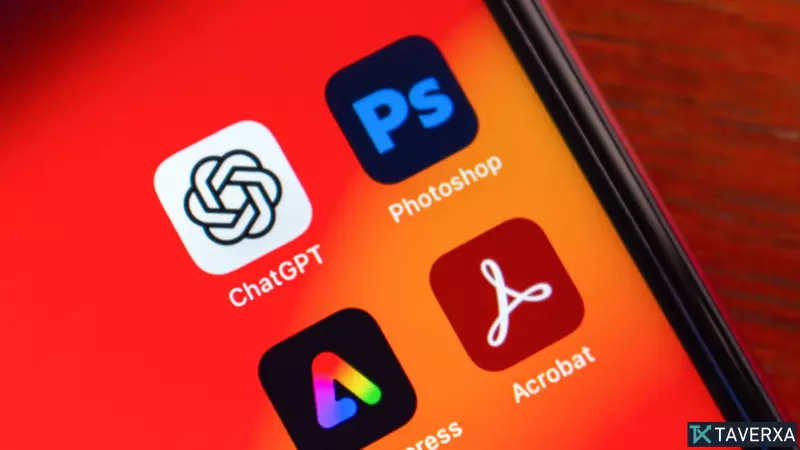
Pro Tip: To unlock the full potential of the plugin, a subscription to Adobe Creative Cloud is required. While a guest mode exists, the comprehensive toolset—spanning over 70 specialized tools from Photoshop, Firefly, Premiere, Acrobat, Lightroom, Illustrator, InDesign, Adobe Express, and Adobe Stock—is reserved for authenticated account holders.
Once active, you can invoke the tool's capabilities simply by typing @Adobe in the prompt field, signaling the AI to utilize Adobe's specialized engines rather than standard LLM responses.
10 Powerful Prompts to Transform Your Workflow
To help users navigate this new synergy, we have compiled ten comprehensive prompts that demonstrate the versatility of the Adobe-ChatGPT integration across various media types.
Visual Branding and Social Media
- Polished Social Graphics: "@Adobe Create three Instagram carousel concepts promoting a coffee shop's fall menu. Use warm autumn colors, modern typography, and leave room for my logo. Make each concept feel distinct."
- Logo Modernization: "@Adobe Modernize this logo while keeping it recognizable. Create three variations: minimalist, premium, and playful."
- Design Mood Boards: "@Adobe Create a mood board for a luxury home office inspired by Scandinavian design using neutral colors, wood textures, and minimal decor."
Professional Image Retouching
- Professional Cleanup: "@Adobe Clean up this photo by removing background distractions, improving the lighting, and making it look like it was taken by a professional photographer."
Advanced Video Production
- Cinematic Trailers: "@Adobe Use this footage to create a movie-style trailer with dramatic pacing, cinematic color grading, and epic title cards."
- Repurposing Long-Form Content: "@Adobe Turn this 20-minute YouTube video into five viral Shorts with strong hooks."
- Highlight Reel Generation: "@Adobe Find the most exciting moments from this video and create a one-minute highlight reel optimized for Instagram Reels."
- Short-Form TikTok Edits: "@Adobe Turn this footage into a 30-second TikTok with dynamic cuts, captions, zoom effects, royalty-free background music, and engaging transitions."
Productivity and Documentation
- Presentation Design: "@Adobe Transform these notes into a clean, modern 10-slide presentation with professional layouts, icons, and visuals."
- Data Visualization: "@Adobe Create a PDF table from this raw data."
The Bottom Line: A New Era for Creators
The Adobe ChatGPT plugin represents a fundamental shift in how we interact with software. By moving the "command center" to a conversational AI, Adobe is making its professional-grade tools more accessible and intuitive. However, it is important to note that while this plugin is exceptional for rapid prototyping, social media content, and basic retouching, it is designed to complement—not replace—the full Adobe Creative Cloud suite.
For highly intricate projects requiring pixel-perfect precision or complex narrative editing, the standalone applications remain indispensable. Nevertheless, for the vast majority of creators, this integration provides a massive productivity boost, effectively turning ChatGPT into a high-powered creative engine.


