The Ultimate Guide to the Best Laptops for Engineering Students in 2026
Discover the best laptops for engineering students in 2026. From high-powered workstations like the Asus ProArt P16 to the value-driven Lenovo Legion 5i.
Introduction: Why Engineering Software Demands Serious Hardware
For an engineering student, a laptop isn't just a device for taking notes—it is a portable workstation. Whether you are specializing in civil, mechanical, electrical, or aerospace engineering, your curriculum will likely involve resource-heavy applications like AutoCAD, SolidWorks, MATLAB, and ANSYS. These tools require a specific trifecta of power: a high-clock-speed CPU for simulations, a dedicated GPU for complex 3D rendering, and substantial RAM for handling massive datasets.
In 2026, the landscape of portable computing has evolved with the introduction of AI-integrated chipsets and stunning OLED panels. However, finding the balance between raw horsepower and the portability needed for a campus lifestyle remains a challenge. We have rigorously tested dozens of machines to identify which laptops truly meet the grueling demands of an engineering degree.
Our Top Recommendations for 2026
The Best Overall: Asus ProArt P16
The Asus ProArt P16 takes the top spot because it masterfully balances professional-grade power with a design that doesn't feel like a bulky gaming rig. Equipped with the AMD Ryzen AI 9 HX 370 and an Nvidia GeForce RTX 4070, it is purpose-built for creators and engineers. The standout feature is the 16.3-inch 4K OLED touchscreen, which provides the color accuracy and clarity essential for intricate CAD work.
Pros: Exceptional display, high-end multitasking capabilities, and a premium keyboard/touchpad experience.
Cons: Battery life is only average, and fans can become audible under heavy load.
The Best Value: Lenovo Legion 5i Gen 10
For students who need high performance without a four-figure price tag, the Lenovo Legion 5i Gen 10 is the premier choice. While marketed as a gaming laptop, its Intel Core Ultra 7 255HX CPU and RTX 5060 GPU make it a beast for engineering simulations. It is rare to find a machine in this price bracket offering a high-refresh-rate OLED display, making it an incredible value proposition.
Pros: High performance-to-cost ratio, durable build, and vivid display.
Cons: Poor battery endurance (approx. 4 hours), meaning you'll need to stay close to a power outlet.
The High-End Powerhouse: Razer Blade 16 (2026)
If budget is no object, the Razer Blade 16 is the gold standard. Featuring the Intel Core Ultra 9 358H and the massive RTX 5090, it handles 3D rendering and FEA simulations with ease. Its slim chassis belies a machine capable of desktop-level performance, and surprisingly, it offers better battery life than most gaming alternatives, lasting nearly 13 hours in light use.
Pros: Unmatched GPU power, stunning OLED panel, and a sleek, professional aesthetic.
Cons: Extremely expensive and can run hot during intense workloads.
The Best MacBook: MacBook Pro 16-inch (M5 Pro)
Apple's M5 Pro chip is a computational monster, dominating our benchmarks with a staggering multi-core score of 28,586. For engineers who prefer macOS or work in environments where Unix-based systems are preferred, this is the only choice. The 21+ hour battery life is a game-changer for students spending long days in the lab. However, a word of caution: always verify that your required engineering software is compatible with macOS before purchasing.
Pros: Industry-leading battery life, incredible CPU performance, and superior build quality.
Cons: Higher price increase over previous generations and software compatibility risks.
The Best Windows Ultraportable: Dell XPS 14 (2026)
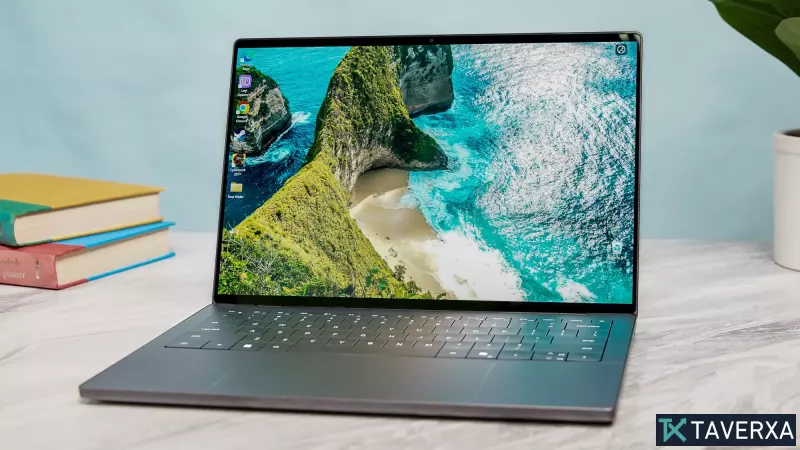
The Dell XPS 14 is the ideal choice for students who prioritize mobility without sacrificing too much speed. Powered by Intel's Panther Lake architecture, it is lightweight (3 lbs) yet capable. While it lacks a heavy-duty discrete GPU, its integrated graphics are surprisingly capable for lighter CAD tasks and general productivity.
Pros: Extremely portable, beautiful 2.8K OLED touch display, and impressive battery life.
Cons: Limited port selection and smaller screen size compared to workstations.
The Versatile 2-in-1: Asus ROG Flow Z13 (2025)
The Flow Z13 challenges the notion that tablets can't do engineering work. Thanks to the AMD Ryzen AI Max 390, the integrated graphics perform similarly to an RTX 4060. This makes it a uniquely flexible tool for students who want to sketch ideas on a tablet and then switch to a laptop mode for heavy lifting.
Performance Comparison & Benchmarks
Our testing utilized Geekbench 6 for CPU analysis and 3DMark for GPU rendering. The MacBook Pro M5 Pro emerged as the absolute performance leader in raw computation. However, for GPU-accelerated tasks—specifically those utilizing CUDA cores—the Razer Blade 16 and Asus ProArt P16 provide a more stable environment for industry-standard Windows engineering software.
Buyer's Guide: What to Look For
- CPU: Aim for at least an Intel Core Ultra 7 or AMD Ryzen 7. Multi-core performance is key for simulation software.
- GPU: A discrete Nvidia RTX series card is highly recommended for any student doing 3D modeling or rendering.
- RAM: 16GB is the absolute minimum; 32GB or 64GB is preferred for complex assemblies in CAD.
- OS: Windows remains the safest bet for software compatibility. macOS is excellent for battery and build but may require virtual machines for certain apps.