Mastering the New Siri AI in iOS 27: 7 Essential Features to Boost Your Productivity
I've been testing the new Siri AI features in iOS 27 for three weeks. From photo reframing to nutritional analysis, here are 7 tips to get the most out of your iPhone.
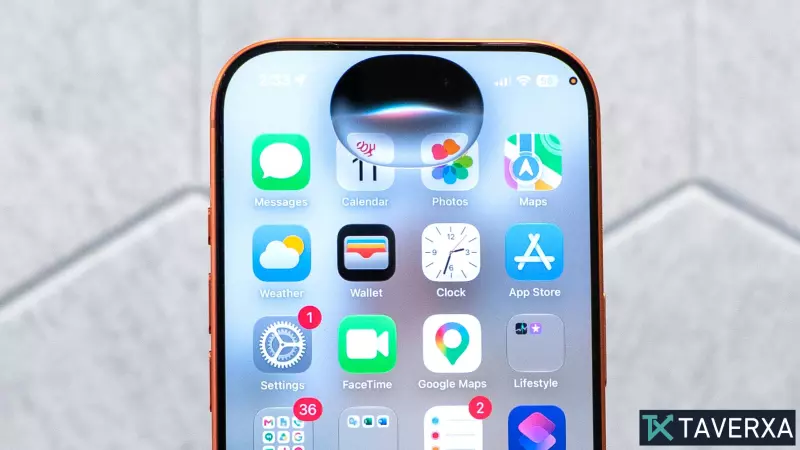
For years, Apple's Siri was primarily relegated to setting simple kitchen timers or providing basic weather updates, often falling short when asked for complex assistance. With the arrival of iOS 27, that narrative has shifted significantly. While some users may initially perceive the update as subtle, three weeks of intensive testing reveal that Siri has evolved into a genuinely capable, context-aware assistant.
The New Face of Siri: A Persistent Workspace
One of the most notable changes is the introduction of a standalone Siri app. No longer just a fleeting pop-up that disappears upon interaction, the new interface functions as a persistent workspace. This allows you to maintain a continuous dialogue, scroll through previous request histories, and pin your most-used prompts to the top for rapid access.
1. The Power of the Standalone App
The dedicated Siri app provides a centralized hub for all your interactions. By pinning frequently used shortcuts, you effectively turn Siri into a personal dashboard that understands your routine.
2. Revolutionary Photo Reframing
My standout feature in this update is the new AI-powered Reframe tool within the Photos app. We have all struggled with awkward photo compositions. Rather than manually cropping and losing image quality, Siri uses advanced AI to naturally extend the canvas and re-center subjects, creating a professional-looking result suitable for wallpapers or social media.
3. Visual Intelligence in Practice
Siri's integration with the camera is now more contextual than ever. By snapping a photo of a flyer, business card, or menu, you can tap the information icon to trigger an automatic workflow. Whether it is adding an event to your calendar or pulling contact data, the friction between physical documents and digital management has all but vanished.
4. Customizing Your Digital Space
The 'Playground' feature within the Messages app allows users to generate unique, AI-driven backgrounds for specific contact threads. Simply describe the aesthetic you want, and Siri renders a bespoke backdrop that reflects the mood of your conversation.
5. Seamless Photo Extension
Similar to the Reframe tool, the Extend feature allows you to expand the background of any image. If a subject is cut off or an aspect ratio doesn't match your device, Siri intelligently fills in the gaps, making it appear as though the original shot was wider.
6. AI-Powered Automation
The Shortcuts app has historically been a complex territory for casual users. In iOS 27, Siri acts as a translator for your intent. By simply describing the routine you desire, the assistant will generate the necessary logic in the Shortcuts app, removing the need for manual programming.
7. Instant Nutritional Insights
Visual Intelligence now includes a health-focused capability. By taking a picture of a meal, you can use the 'Look Up Nutrition' feature to get an analysis of the dish. While not a clinical measurement, it offers helpful insights into the quality and processing level of your food, aiding in better daily decision-making.