AI Privacy Breakdown: Checking the Settings of Every Major Chatbot
We tested the privacy settings of ChatGPT, Gemini, Claude, and more to see which AI companies make it easy to opt out of model training.
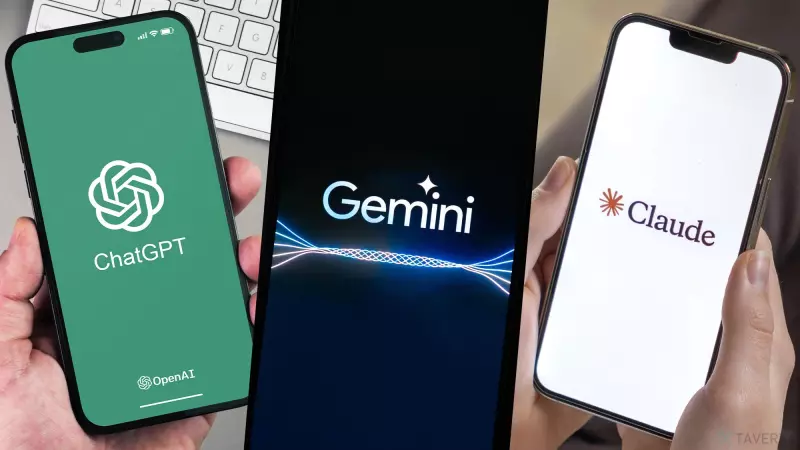
As artificial intelligence becomes deeply integrated into our daily workflows, from drafting emails to brainstorming project ideas, a critical question remains: what happens to the data we share with these models? After analyzing the privacy settings and training policies of every major AI chatbot, it is clear that there is no universal standard for how companies handle user information. While some services offer straightforward, accessible opt-outs, others bury their privacy controls in complex menus or lack meaningful protections for consumer data altogether.
Why AI Privacy Matters
Most AI developers use user conversations to train and refine their models. While this helps the AI become more accurate and helpful, it can inadvertently expose sensitive information, professional documents, or personal preferences to machine learning processes. Understanding how to manage your privacy is no longer just a 'power user' habit; it is a fundamental part of staying secure online.
ChatGPT: The Gold Standard for Accessibility
ChatGPT stands out for its transparency. Navigating to 'Settings > Data Controls' reveals a clear toggle labeled 'Improve the model for everyone.' Disabling this ensures your future conversations are not used for training. Furthermore, OpenAI’s 'Temporary Chat' feature provides an easy way to interact with the bot without saving history or enabling model training.
Google Gemini: The Tradeoff for Personalization
Gemini provides a relatively accessible interface for managing privacy. However, disabling 'Gemini Apps Activity' comes with a functional cost: you lose access to saved chat history and personalized context. This is a deliberate choice, forcing users to balance convenience against privacy.
Claude: Privacy with Fine Print
Anthropic’s Claude offers a clear toggle under 'Settings > Privacy' to opt out of training. While simple to use, it is important to note their privacy policy contains a specific exception for content flagged by safety classifiers, which may still be utilized to improve trust and safety systems. Users should also leverage the 'Incognito' mode (marked by a ghost icon) for one-off sensitive queries.
Microsoft Copilot: A Tale of Two Users
Copilot’s privacy settings depend heavily on your account type. Consumer accounts are opted in by default, requiring users to manually navigate to their account profile to disable training. Conversely, Microsoft 365 Enterprise users are shielded by corporate contracts, with data specifically excluded from the foundation AI model training.
Meta AI and Grok: The Complex Landscape
Meta AI represents a significant challenge for US users, as it lacks a simple, conversation-level opt-out for AI training. Interactions on Facebook, Instagram, and WhatsApp are broadly utilized for training, with limited avenues for objection. Meanwhile, Grok (integrated into X) presents a multi-layered challenge, requiring users to manage two separate data flows: one for chatbot conversations and a separate, more pervasive setting for overall X platform interactions.
Final Thoughts
There is no one-size-fits-all approach to AI privacy. While leaders like ChatGPT make the process seamless, other platforms require a more proactive approach to data management. Before choosing your next go-to AI, take a few minutes to audit these settings—the peace of mind is worth the effort.