Haptic vs. Mechanical Trackpads: The Definitive Showdown for Laptop Users
Are haptic trackpads really better than mechanical ones? I put them through a rigorous, real-world gauntlet to find out which one wins for daily productivity.
The Hidden Battleground of Laptop Design
When buying a new laptop, users typically obsess over CPU benchmarks, GPU performance, and screen resolution. However, there is one component that dictates your daily interaction with the machine more than any other: the trackpad. Recently, I found myself in a position to test the performance difference between modern haptic trackpads and traditional mechanical ones, and the results were surprising enough to make me rethink my hardware priorities.
The Testing Methodology
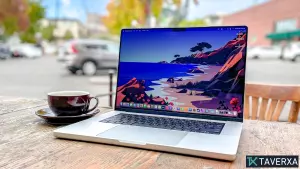
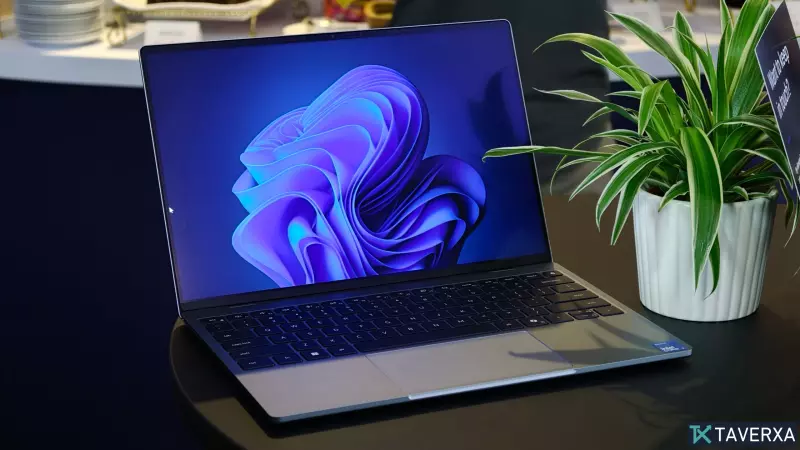
To ensure a fair comparison, I took a standard, popular Windows laptop equipped with a traditional mechanical trackpad and compared it head-to-head with the latest MacBook Air, which utilizes a haptic trackpad. I kept all settings at default to ensure the testing reflected how an average user would experience these interfaces out of the box.
1. The Sweaty Gaming Test
In this scenario, I played a round of Minesweeper after snacking on buttery popcorn. This wasn't just about fun; it was a precision test to see how well the sensor could track subtle movements when the surface friction is altered. The haptic trackpad on the MacBook maintained perfect cursor control despite the challenging conditions, whereas the mechanical trackpad on the Windows machine showed slight input inaccuracies—a common frustration when the surface isn't pristine.
2. The Commute Simulator
To simulate real-world productivity, I attempted to highlight specific 6pt text while being driven around a block filled with speed bumps. The results were telling. While both systems struggled with the physical jarring of the car, the mechanical trackpad felt particularly clunky, often requiring two-handed navigation to achieve what the haptic pad could manage with lighter, more consistent input.
3. The Drag-and-Drop Deathmatch
Moving files is a daily chore. Using a haptic trackpad makes this process fluid, as the click sensation is consistent across the entire surface. In contrast, mechanical trackpads often have a 'hollow' feel near the top, and the physical resistance can sometimes cause a drag-and-drop gesture to fail halfway through, forcing the user to re-attempt the task.
Final Verdict
It is clear that haptic technology offers a superior, more uniform user experience. Mechanical trackpads, while cost-effective for manufacturers, represent an outdated physical limitation that hampers productivity. As we move into the future of laptop design—with upcoming releases like the RTX Spark series—I strongly hope the industry embraces haptics as the new standard. Your laptop's trackpad is the bridge between your intentions and the machine's actions, and currently, haptic technology builds a much better bridge.