Hands-On with iPadOS 27: A New Era of AI-Driven Productivity
We go hands-on with the iPadOS 27 public beta to test the new Siri AI, improved Liquid Glass features, and enhanced parental controls coming to your iPad.
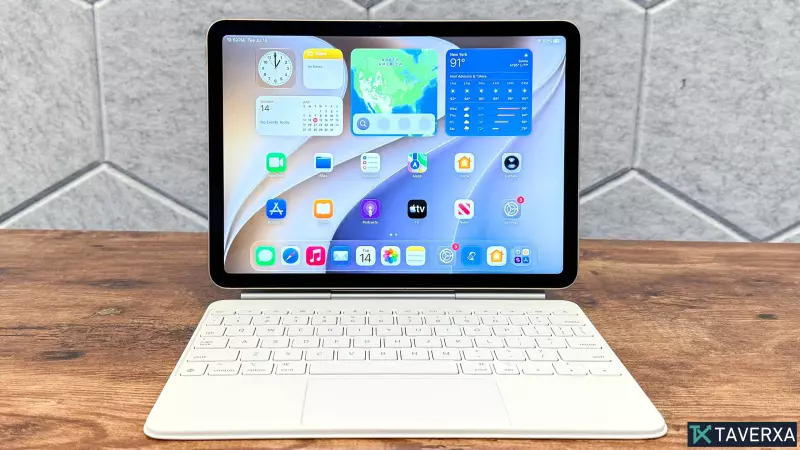
Apple’s latest operating system, iPadOS 27, has arrived in public beta, offering a glimpse into the future of tablet computing. While this iteration focuses on refinement rather than a complete overhaul, the integration of powerful AI tools marks a significant shift in how users interact with their iPads. Among the most anticipated additions is the revamped Siri AI, which now functions with the sophistication of a dedicated chatbot, capable of understanding context and executing complex, multi-step tasks.
The Rise of Siri AI
Perhaps the most transformative feature in iPadOS 27 is the new Siri AI app. Unlike its predecessor, which primarily managed basic voice commands, the new interface feels deeply integrated into the OS. Users can ask questions, request summaries, or have Siri perform actions directly within Apple applications. Our hands-on testing revealed that Siri is becoming much more 'screen-aware,' allowing it to parse information from open apps like Chrome and offer contextually relevant assistance. While third-party integration is still a work in progress, the current implementation is a massive step forward.
Refining the Visual Experience
Liquid Glass remains a core aesthetic pillar, but Apple has introduced a new opacity slider that grants users greater control over their visual environment. This allows for a more personalized experience, letting users balance the signature aesthetic with improved legibility for text and icons. The inclusion of more pronounced window edges and improved background diffusion helps the UI feel more structured and polished.
Enhanced Safety and Productivity
Apple has also doubled down on parental controls, introducing a redesigned Screen Time Dashboard. Parents can now manage app usage, set granular allowances, and use advanced communication safety tools that blur sensitive content like gore or violence in real-time. Additionally, new features like the 'Clean Up' tool for photos, improved Safari tab organization with automated topic grouping, and the powerful new 'Describe Shortcuts' tool make the iPad a much more efficient device for both students and power users.
A Smarter Future
Although iPadOS 27 might not feel like a complete reinvention of the tablet experience, the cumulative effect of these updates—specifically the intelligence injected into Siri and the system-wide workflow improvements—makes it a highly compelling upgrade. As the software moves toward its final release, it is clear that Apple is committed to making the iPad a more intuitive, helpful, and capable device for everyday use.