7 Hidden iOS 27 Features You Missed at WWDC 2026
Beyond the big headlines, iOS 27 is packed with subtle upgrades. Here are 7 hidden features Apple didn't mention at WWDC 2026 that improve your daily iPhone experience.
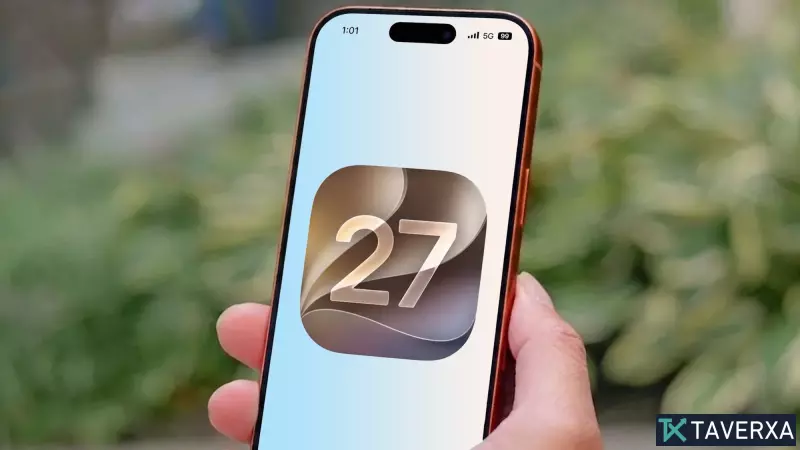
Discovering the Subtle Power of iOS 27
While Apple's WWDC 2026 keynote was dominated by massive announcements regarding Apple Intelligence and systemic changes to Siri, the latest iteration of the iPhone operating system, iOS 27, contains a wealth of under-the-radar enhancements. Now that the developer beta is in full swing, we have uncovered several hidden gems that Apple didn't explicitly detail during their big reveal.
1. Expanded Landscape Mode
Since the launch of the iPhone X, home screen rotation has been largely absent. With iOS 27, Apple has finally brought robust landscape support to a suite of first-party applications. You can now tilt your device to view Apple Music, Fitness, Health, and even the Apple TV remote in landscape, often accompanied by a convenient side-bar interface that enhances usability on larger displays.
2. The New Dedicated Drawing App for Messages
Gone are the days of limited hand-drawn inputs. iOS 27 introduces a sophisticated dedicated drawing applet within iMessage. It mirrors the capabilities of Apple Notes, offering a rich environment for sketching with various colors, brush styles, and sticker integration, making personal communication more expressive than ever.
3. Smarter Apple Wallet Functionality
Apple Wallet is receiving a massive efficiency boost. The update now allows users to scan physical dinner bills or store receipts. The system intelligently divides costs among groups and facilitates instant Apple Cash requests. Additionally, users can now create their own digital passes for tickets or membership cards that lack native support, further reducing the need for a bulky physical wallet.
4. FaceTime Dual Camera Recording
Following the introduction of dual-capture on the iPhone 17 hardware, iOS 27 extends this feature into FaceTime. You can now simultaneously stream from both your front and rear cameras during a call, allowing you to share your reaction alongside whatever you are looking at in real-time.
5. Granular Location Sharing Control
Privacy and control take center stage with updated location settings. You can now define precise durations for location sharing, avoiding the binary 'one hour' or 'end of day' restrictions. Furthermore, you can now cease sharing your location with a contact silently, without triggering an awkward notification to the recipient.
6. AI-Powered Custom Safari Extensions
Beyond standard tab organization, iOS 27 allows users to generate custom browser extensions using AI. If a specific function is missing from the App Store, you can prompt the browser to build a solution. While still in its infancy, this feature marks a shift toward highly personalized mobile browsing.
7. Precision AirPods Control
The AirPods interface has been overhauled to include a fine-tuned slider for Active Noise Canceling and Transparency modes. No longer locked to maximum settings, you can now blend the two modes to your preference. Additionally, a new custom EQ mixer for the latest AirPods models allows for precise adjustments to bass, mid-range, and treble, letting you tailor the sound signature to your unique hearing profile.