Maximize Your Efficiency: 2 Hidden Apple Watch Features You Need to Try
Boost your productivity with these two hidden Apple Watch features that make navigating menus and starting your favorite workouts faster than ever.
The Apple Watch is an incredibly powerful device, but its vast ecosystem of apps and settings can sometimes feel overwhelming. With so many menus to navigate, finding the specific tool or setting you need in a hurry can be frustrating. Fortunately, there are several hidden shortcuts designed to streamline your daily interaction with the watch. Here are two expert tips to help you navigate faster and launch your favorite workouts in an instant.
Tip #1: The Instant 'Back to Top' Gesture
If you are scrolling through a long list in the Mail, Settings, or Workout apps, you don't need to manually swipe your way back to the top. There is a hidden gesture that serves as a 'teleport' button. Simply tap the time display at the top of the screen in any native Apple Watch app, and the watch will instantly scroll back to the top of the menu. This simple trick is a massive time-saver for anyone who regularly digs into deep settings or long email threads.
If you prefer to exit an app entirely and return to your watch face, you can quickly cover the screen with your palm for one second. This gesture is an intuitive way to dismiss apps without fumbling for buttons.
Tip #2: One-Tap Workout Shortcuts
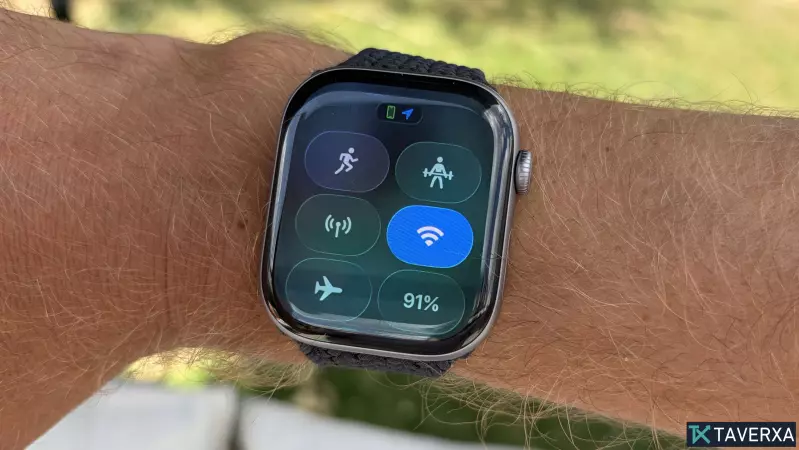
While the Apple Watch Ultra features a dedicated Action button for starting workouts, you can replicate this convenience on any standard Series Apple Watch using the Shortcuts app. By creating a custom shortcut, you can add a launch button for your favorite activities directly into the Control Center or onto a watch face complication.
To set this up, open the Shortcuts app on your iPhone and create a new shortcut that triggers your preferred workout. Long-press the created shortcut and ensure 'Show on Apple Watch' is toggled on. Next, press the side button on your Apple Watch to open the Control Center, scroll down to edit, and add your new shortcut to the grid. Now, you can fire up your favorite running or strength training session with a single tap, bypassing the need to navigate the Workout app menu every time you hit the gym.
By mastering these simple yet effective hidden features, you can significantly reduce the time spent tapping through menus and spend more time focused on your health and fitness goals.